
Step 1 – Create OpenAI API key
- To use OpenAI as the AI Provider, the customer must have an OpenAI API account with active billing.
- The customer must provide a valid OpenAI API key. The API key is required in Step 2 below and is used by E-MetroTel services to authenticate requests to the OpenAI API.
- For production deployments, we recommend:
- Create a dedicated OpenAI Project for the E-MetroTel/UCX services.
- Generate an API key specifically for this deployment and store in a secure location. A service-account key may be used where appropriate. Do not share it except where required for configuration.
(OpenAI will never show this exact key to you again after you close the window.) - Ensure the project has active billing or sufficient credits.
(Your API key will return errors and refuse to work until you have a positive funded balance.) - Ensure the project/API key has access to the OpenAI models required by the configured E-MetroTel services.
- Configure appropriate OpenAI spending and usage limits for the deployment.
E-MetroTel configuration does not depend on how the customer’s OpenAI account is organized. EMAT requires only a valid API key with the necessary API access. Project, organization, billing, and service-account administration are managed by the customer within OpenAI.
Step 2 – Configure AI Provider
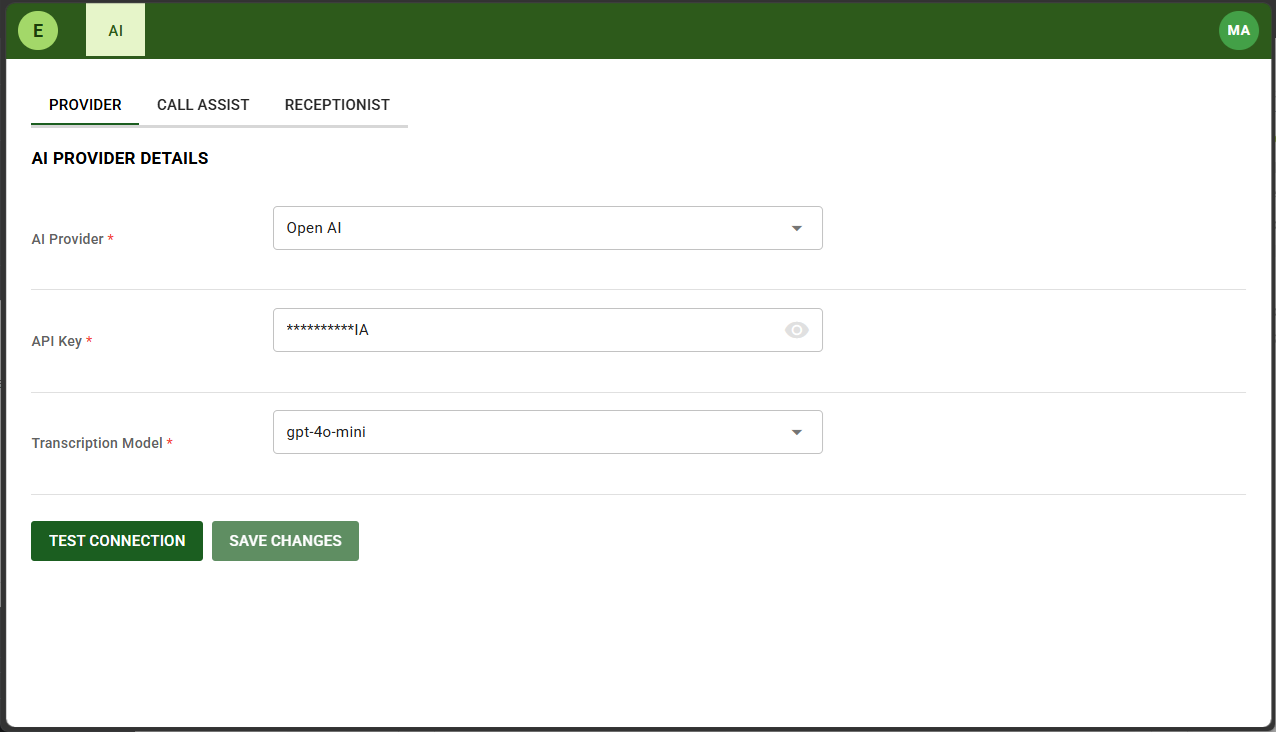
Configuration of the AI Provider is done in the E-MetroTel Administraiton Tool (EMAT).
First step is Login to EMAT.
Navigate to the PROVIDER tab.
Enter the API key that was created in Step 1 above and select the Transcription Model.
Click SAVE CHANGES button.
Click TEST CONNECTION button to verify.
Step 3 – Verify OpenAI in Playground
Perform the following steps to verify the OpenAI account using the OpenAI Realtime Playground:
- Open a browser and go to:
https://platform.openai.com - Log in with the same OpenAI account that owns the API key created in STEP 1 above.
- Once logged in, go directly to:
https://platform.openai.com/playground/realtime
(or from the main Playground page, look in the left sidebar and click Realtime). - Allow microphone access when prompted by the browser.
- Click Start session (or the equivalent “Connect / Start listening” button).
- Speak clearly into your microphone (e.g. “Hello, can you hear me?” or “What time is it?”).
- Confirm that the AI:
- Hears you
- Responds with voice
- Handles interruptions naturally
