The PJSIP Settings page provides configuration options for SIP-based devices and applications that use the UCX PJSIP channel driver. While a separate SIP Settings page exists for other SIP configurations, this page specifically supports deployments—such as NEC IP phones—that rely on PJSIP. Additional applications using this driver may be supported in the future.
To access this page on the UCX:
- From the PBX tab, select PBX Configuration
- From the left side column, select PJSIP Settings in the Settings group
NEC IP Phone Support Settings

The NEC IP Phone Support Settings in PJSIP Settings page is used to enable communication between NEC IP Phones and the UCX XSTIM software. The settings in this section control whether the UCX will listen for packets from the NEC phones, as well as which ethernet interface(s) will be listening, and what port the phones will be using for communication.
SIP Trunk (chan_pjsip)
Any changes made in this section will require a restart of Telephone Service for the changes to fully take effect.
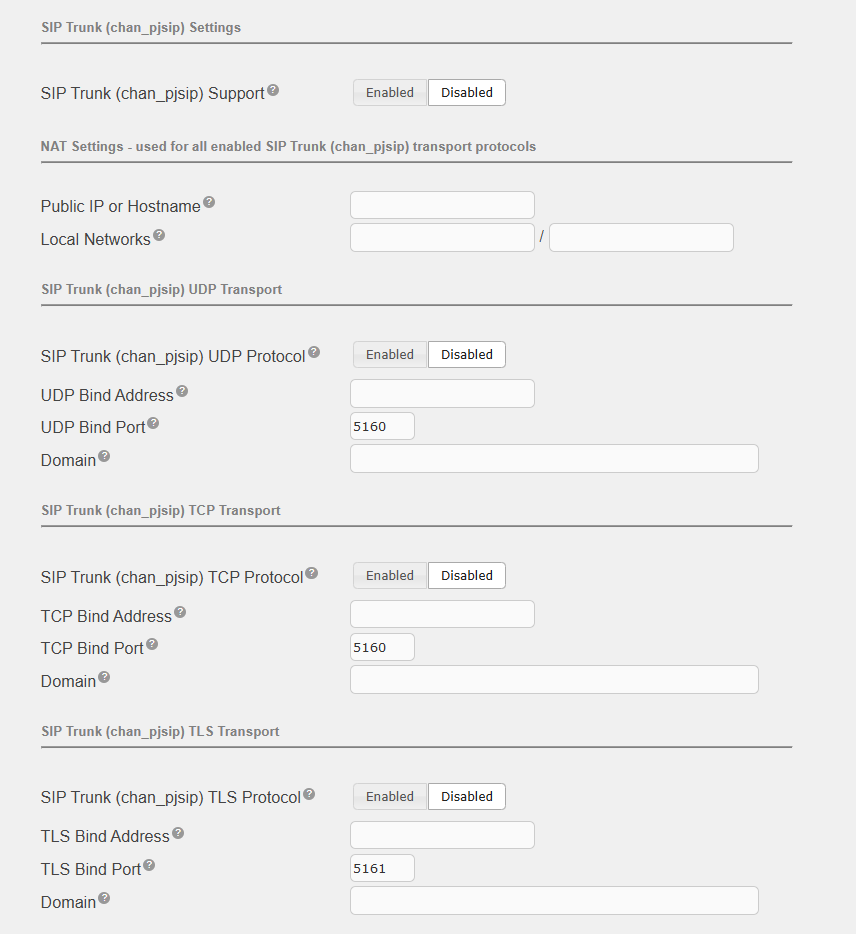
SIP Trunk (chan_pjsip) Settings
When enabled, SIP trunk signaling will be processed by the PJSIP module.
NAT Settings
This is used for all enabled SIP Trunk (chan_pjsip) transport protocols.
| Field | Description |
|---|---|
| Public IP or Hostname | Leave blank if public IP is on this system. Otherwise, enter public IP address here. Only use hostname if public IP address is not static, and dynamic DNS is used. |
| Local Networks | Local network settings in the form of ip/mask. For example: 192.168.1.0/255.255.255.0. |
SIP Trunk (chan_pjsip) UDP Transport
When enabled, the PJSIP module will listen on the specified UDP port.
SIP Truink (chan_pjsip) TCP Transport
When enabled, the PJSIP module will listen on the specified TCP port.
SIP Trunk (chan_pjsip) TLS Transport
When enabled, the PJSIP module will listen on the specified TLS port.
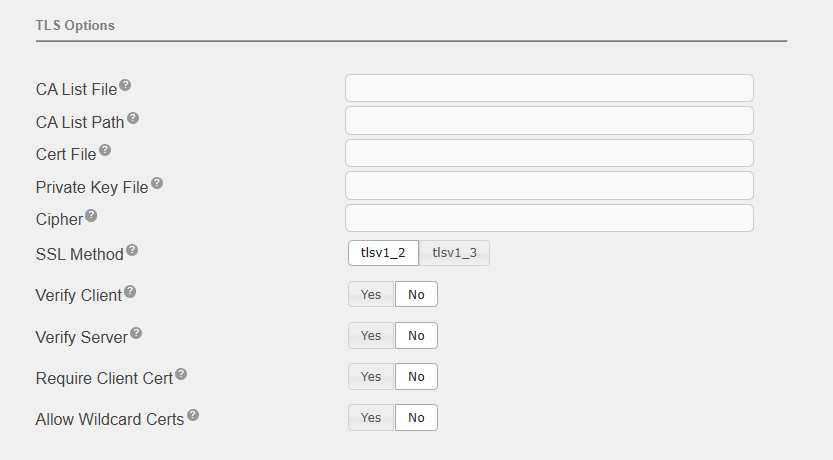
TLS Options